Hawa Code is no longer just about solving coding problems. Below is an introduction to Hawa Code’s cluster deployment mode.
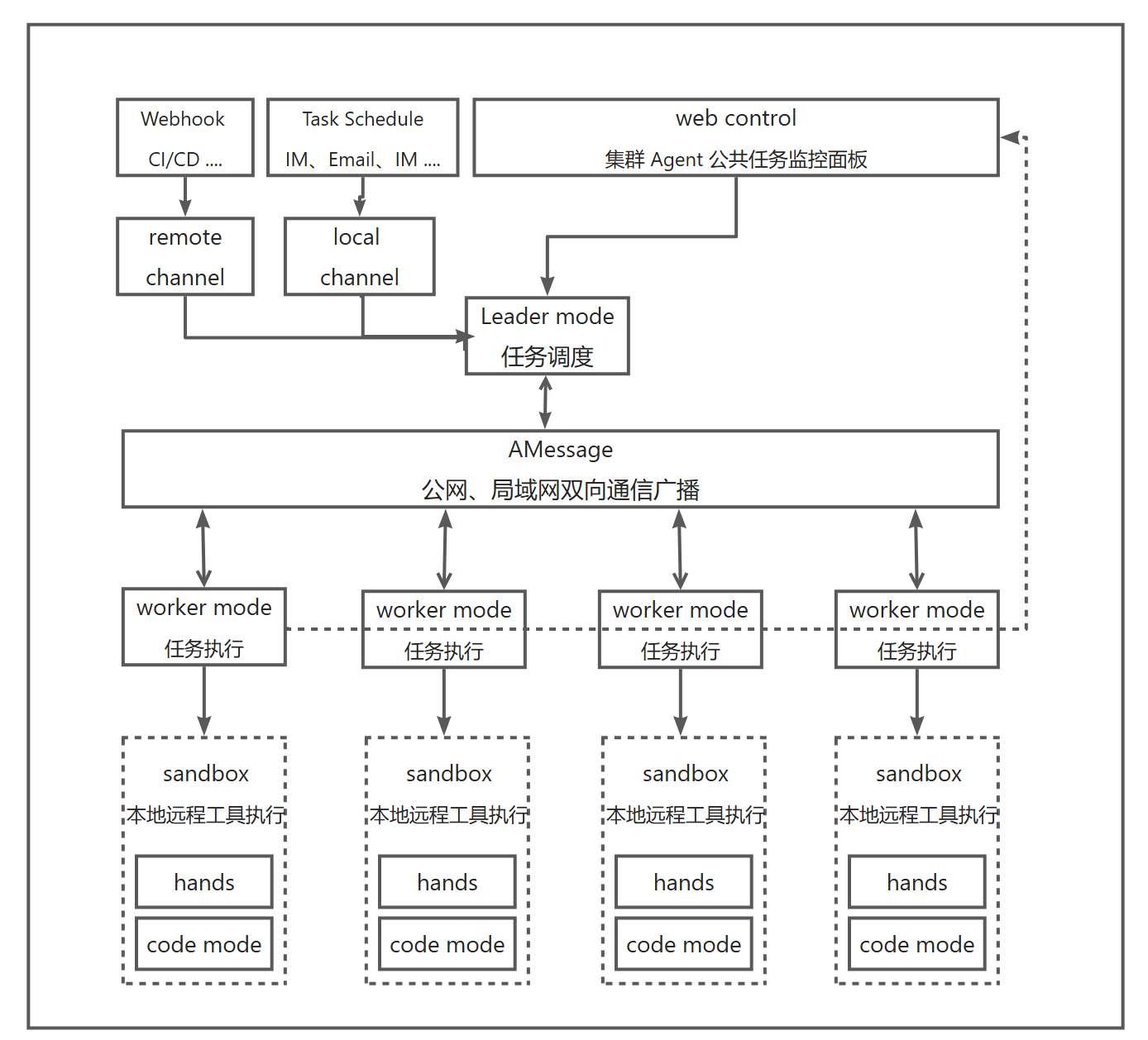
Work Modes
Hawa Code offers two work modes: Leader mode and Worker mode, each suited to different scenarios. After installing Hawa Code, you can set the mode via the Config slash command.
- Leader mode: Hawa Code keeps only AMessage-related tools and is responsible only for task coordination and distribution.
- Worker mode: Hawa Code keeps all tools and is responsible for executing tasks.
The Leader and Workers communicate asynchronously via messages: the Leader actively sends messages to dispatch tasks, and the Worker reports the results after execution. Workers can also communicate with each other to distribute work.
Communication
Hawa Code communicates through the AMessage message bus, and Agents can discover each other automatically. Each Agent has its own description, which users can customize; this description serves as a reference—the Leader proactively asks Agents about their capabilities in order to dispatch tasks that match their abilities. This is fundamentally different from the A2A protocol.
Hawa Code has AMessage Channel capability built in by default: an agent receives a notification when a new message arrives, without the need for polling.
AMessage messages are stored on disk, and Agents can pull historical messages at any time. Messages are part of the context, so Agents can review past tasks. AMessage is more than a message pipe—in a sense, it is closer to a mailbox system.
Refer to the following docs for more related concepts: